Massachusetts Online Registration System
Navigating the world of ATV and UTV registration in Massachusetts can feel like trying to find your way through a dense forest without a map, especially when you're just looking for the simplest path to get your machine legal. Many riders find themselves frustrated by the seemingly complex paperwork and the need to interact with different state agencies. This guide is here to untangle the process for you, specifically focusing on the Massachusetts online registration system, to show you how it works, who can use it, and what you need to do to get your off-road machine ready for the trails.
The Convenience of Online OHV Registration in Massachusetts
Let's be real: nobody wants to spend their precious riding time stuck in traffic, waiting in line, or fumbling with paper forms. For years, registering an ATV or UTV in Massachusetts meant a trip to an Environmental Police office or sending paperwork through the mail and hoping everything was just right. The introduction of an online registration system was a breath of fresh air for many of us, promising a way to handle this essential task from the comfort of our homes, often outside of regular business hours.
Why the Online System is a Game-Changer for Riders
For those of us with busy lives, whether we're juggling work, family, or just trying to squeeze in every possible minute on the trails, the online system is a godsend. Imagine being able to renew your ATV registration at 10 PM on a Tuesday because that's when you finally have a moment to yourself, rather than having to take time off work or rush during a lunch break. That's the core appeal here: convenience.
It's not just about flexibility, though. The online system often provides a more streamlined experience, with clear prompts and digital submission of documents. This can reduce the chances of errors that might otherwise cause delays if your paperwork had to go back and forth in the mail. For many riders, the online portal represents a significant step forward in making compliance less of a chore and more of a quick task. It frees you up to focus on the fun stuff, like planning your next trip to October Mountain or Pittsfield State Forest.
Understanding What the Online System Handles (and What It Doesn't)
While the online system is a fantastic tool, it's important to understand its scope. It's designed to handle the most common registration tasks efficiently. Primarily, this means renewals for existing registrations, which are usually quite straightforward. If you've already got a sticker and your machine is in the system, renewing it online is typically a breeze. The system also accommodates new registrations for machines where you have all the proper documentation, like a Manufacturer's Certificate of Origin (MCO) or a clear bill of sale, and you've already sorted out your sales tax obligations.
However, the online portal isn't a magic bullet for every situation. More complex scenarios, such as [Massachusetts Registration for an Inherited Machine], registering a machine with missing paperwork, or certain types of transfers that require unique verification, might still necessitate a mail-in application or a direct visit to an Environmental Police office. The Environmental Police are the primary agency responsible for [Registering an ATV With the Environmental Police], and while they've embraced digital tools, some situations just call for that human touch or a physical review of documentation. Always check the specific requirements for your transaction type to avoid any surprises.
Eligibility and Preparation for Online ATV/UTV Registration
Before you even think about clicking that "Register Now" button, it's crucial to understand if your situation is a good fit for the online system and, more importantly, to gather all the necessary information and documents. A little preparation goes a long way in preventing frustration down the line.
Who Qualifies to Use the Online Portal
Generally, both Massachusetts residents and non-residents can utilize the online registration system for their ATVs, UTVs, dirt bikes, and snowmobiles. The key differences often lie in the term of the registration and the fees. For example, [Massachusetts Charges $44 for Residents] for a two-year sticker, while [Massachusetts Charges $33 for Visitors] for a one-year sticker. The online system can handle these different categories, but you'll need to accurately identify your residency status.
The most straightforward transactions for the online portal are renewals. If your current registration is simply expiring, the online system is built for you. For new registrations, or transfers of ownership, you'll need to have all your ducks in a row concerning proof of ownership and sales tax. The system is set up for transactions where all the required information is readily available and easily verifiable. If you're dealing with anything out of the ordinary, like a very old machine without clear ownership history or a complex business registration, you might find yourself needing to go the traditional route.
Essential Documents and Information You'll Need Before You Start
This is perhaps the most critical step: getting all your paperwork in order. Think of it like packing for a long ride – you don't want to get halfway to the trailhead and realize you forgot your helmet!
Here's a checklist of what you'll typically need to have handy, either physically or digitally scanned:
- Vehicle Information: You'll need the make, model, year, engine size, and, most importantly, the Vehicle Identification Number (VIN). The online form will definitely ask for the VIN, as [Massachusetts Requires a VIN on the Application]. Double-check that you have the correct VIN, as a single digit error can cause major headaches.
- Proof of Ownership:
- For New Machines: A Manufacturer's Certificate of Origin (MCO) is paramount. [Massachusetts Requires an MCO for a New Machine] to establish the first owner and ensure the machine isn't stolen.
- For Used Machines: A comprehensive [Massachusetts Requires a Bill of Sale for a Used One] is essential. This document proves you legally purchased the machine. Make sure it includes details like the seller's and buyer's names and addresses, the sale date, the purchase price, and a clear description of the machine including the VIN. When drafting a bill of sale for a private sale, using a template from a reputable source can ensure all required information is included. Resources like LawDepot can provide customizable bill of sale templates that cover all the bases, making your online submission smoother.
- Proof of Sales Tax Payment or Exemption: Massachusetts has a 6.25% sales tax on most purchases, including ATVs and UTVs. You must either prove you've paid this tax or qualify for an exemption.
- If you purchased your machine from a dealer, they typically handle the sales tax and provide you with proof.
- If you bought it in a private sale, you're responsible for filing and paying the sales tax yourself using [Massachusetts Sales Tax Forms at Registration] (Form ST-6). You'll need to have proof of this filing or payment.
- Certain situations, like receiving a machine as a gift, might qualify for an exemption. In such cases, you'd file [Massachusetts Exemption Form ST-6E]. Even with a formal document created via LawDepot for a gift or private sale, you'll still need to follow the state's tax reporting procedures.
- Personal Identification: Your driver's license number, date of birth, and current address will be needed to verify your identity.
- Payment Method: A valid credit card, debit card, or electronic check information will be required to pay the registration fees. Remember that [Massachusetts Registration Fees Fund Trails], so your contribution helps maintain the places we love to ride.
Having all these items scanned into easily uploadable digital files (PDFs or JPEGs are usually acceptable) before you start the online process will save you a ton of time and frustration.
A Step-by-Step Walkthrough of the Online Registration Process
Alright, you've gathered all your documents, you know you're eligible, and you're ready to tackle the online system. Let's walk through what you can expect when you actually log on to get your ATV or UTV registered in Massachusetts. The goal here is to demystify the clicks and forms, making it feel less like a bureaucratic maze and more like a straightforward path.
Accessing the Massachusetts Environmental Police Portal
The journey begins at the official Massachusetts Environmental Police website. This is crucial: don't just search for "Massachusetts ATV registration" and click on the first link. Make sure you're on the official state portal, usually identifiable by a ".gov" domain. The Environmental Police are the authority here, not the RMV, so their portal is where you'll find the specific services for off-highway vehicles.
Once you find the correct page, you'll likely need to either create an account or log in if you already have one. Creating an account is usually a simple process involving your email address and setting up a secure password. This account will be your hub for current and future registrations, so keep your login information safe. The system is designed with security in mind, protecting your personal and vehicle data. Take your time during this initial setup to ensure all your contact information is accurate, as this is how the state will communicate with you regarding your application.
Filling Out the Application and Uploading Documents
After logging in, you'll be guided through the application process. This typically involves several distinct sections, each requiring specific information about you and your off-highway vehicle:
- Owner Information: This section will ask for your personal details – name, address, phone number, and email. Ensure this matches your identification exactly. If you're registering a machine under two names, the system should have fields for both, reflecting the full ownership.
- Vehicle Information: Here, you'll input all the specifics about your ATV or UTV: make, model, year, color, engine size, and the all-important VIN. As mentioned before, [Massachusetts Requires a VIN on the Application], and this number is crucial for identifying your specific machine. Double-check every digit!
- Transaction Type: You'll select whether this is a new registration, a renewal, or a transfer. The subsequent forms will adapt based on your choice.
- Document Uploads: This is where those scanned documents come into play. The system will have designated upload fields for things like your MCO (for new machines), [Massachusetts Requires a Bill of Sale for a Used One], and proof of sales tax payment or exemption (Form ST-6 or ST-6E). It's incredibly important that these documents are clear, legible, and include all the necessary information. A document that's blurry, incomplete, or missing a critical piece of data (like the VIN on a bill of sale) will likely cause a delay in processing. If you've used a template from LawDepot for your bill of sale, ensure all fields are filled out comprehensively before scanning it. Even using a solid template, if details like the seller's full address or the purchase price are missing, it could be flagged.
The online portal will usually provide guidance on acceptable file types (PDFs are often preferred for multi-page documents, while JPEGs can work for single images) and size limits. Don't be shy about making sure your scans are top-notch; think of them as what an officer would see if they were looking at the physical paper.
Payment and Confirmation
Once all the information is entered and your documents are uploaded, the system will calculate your total registration fee. You'll then proceed to the payment gateway. Most state online systems accept major credit cards (Visa, MasterCard, Discover, American Express) and often allow for electronic checks. Follow the prompts carefully to enter your payment information securely.
After a successful payment, you'll receive a confirmation. This is a vital step! You'll typically get a confirmation number or a digital receipt, and often a confirmation email will be sent to the address associated with your account. Print this confirmation, save it digitally, and keep it safe. This is your immediate proof that you've submitted your application and paid the fees. While you won't have your physical decals or registration card yet, this confirmation can sometimes act as temporary proof of submission, especially if you have questions later or need to track your application status. Save this confirmation somewhere accessible, should you need to reference it for [Massachusetts Registration Processing Time] inquiries.
Common Challenges and Solutions When Registering Online
Even with the best intentions and preparation, sometimes technology throws a curveball. The online registration system, while convenient, isn't immune to technical glitches or user errors. It’s important to know how to troubleshoot common issues so you don’t get stuck in limbo.
Navigating Technical Glitches and Error Messages
Picture this: you're almost done, the finish line is in sight, and then… an error message pops up. Or perhaps the page freezes, or your upload just won't go through. These are frustrating moments that can make you want to toss your computer.
Common technical hiccups include:
- Website Timeouts: Sometimes, if you take too long on a page, the system might log you out for security reasons. The solution is often to log back in and try again, perhaps with your documents pre-filled or ready for immediate upload.
- Browser Compatibility Issues: Not all web browsers play nicely with every online portal. If you're having trouble with Chrome, try Firefox, Edge, or Safari. Clearing your browser's cache and cookies can also resolve many display and functionality problems.
- Upload Failures: This could be due to internet connectivity issues, file size limits, or incorrect file formats. Ensure your internet connection is stable. If a file is too large, try compressing it (many free online tools can do this). If it's the wrong format, convert it to a universally accepted one like PDF or JPEG.
- Generic Error Messages: Sometimes, the system just says "An error occurred" without much detail. In these cases, try to retrace your steps. Did you miss a required field? Is there a special character in an input box that the system doesn't like?
If you encounter persistent technical problems, don't bang your head against the keyboard. Most online portals have a "Contact Us" section, often with a dedicated helpdesk or phone number. Don't hesitate to reach out for [Who to Call About a Massachusetts OHV Registration]. It's what they're there for.
Resolving Document Upload Issues and Information Discrepancies
Beyond technical glitches, the most common roadblocks come from the documents themselves. The Environmental Police are very thorough when reviewing applications, and for good reason: they need to ensure legal ownership and proper taxation.
Here are some typical document-related issues:
- Unreadable Scans: If your scanned bill of sale or MCO is blurry, too dark, or has cropped edges, the reviewer won't be able to process it. Always ensure your scans are high-resolution and clearly show all text and signatures.
- Incomplete Information: Let's say you uploaded a [Massachusetts Requires a Bill of Sale for a Used One], but the seller's address is missing, or the VIN is obscured. Even if you generated the document using a robust tool like LawDepot, if you didn't fill in every critical detail, it could be rejected. The Environmental Police need to see every piece of required information clearly on the uploaded document.
- Discrepancies: This happens when the information you manually entered into the online form (like the VIN or purchase price) doesn't exactly match what's on your uploaded documents. A simple typo can cause a hold-up. Carefully cross-reference your entries with your documents before submitting.
- Incorrect Documents: Accidentally uploading a car title instead of your ATV's MCO, or an old bill of sale instead of the current one, can happen. Always double-check that you're uploading the correct file for each requested field.
If your application is flagged for a document issue, the Environmental Police will usually contact you, either by email or phone, explaining what needs to be corrected or re-submitted. Respond promptly and provide the clearest possible documentation. This back-and-forth can extend the [Massachusetts Registration Processing Time], but it’s part of ensuring everything is squared away legally. Remember, the state wants to make sure your [Massachusetts Requires an MCO for a New Machine] or bill of sale ([What a Bill of Sale Must Show to Register]) is undeniably legitimate.
What Happens After You Click 'Submit'
So, you’ve navigated the forms, uploaded your documents, and clicked that final "Submit" button. You might feel a mix of relief and anticipation. What happens next? Is your machine immediately registered? Not quite. There's a review process, and then the physical artifacts of your registration need to make their way to you.
The Review Process and How Long It Takes
Once you hit submit, your application doesn't instantly become a completed registration. Instead, it enters a queue for review by the Massachusetts Environmental Police. A human being (yes, a real person!) will examine your application, verify the information you provided, and ensure all your uploaded documents meet their requirements. They'll be checking for the clarity of your [Massachusetts Requires an MCO for a New Machine] or [Massachusetts Requires a Bill of Sale for a Used One], the accuracy of your VIN, and confirmation of your sales tax payment.
The [Massachusetts Registration Processing Time] can vary. It depends on the volume of applications the Environmental Police are receiving, the time of year (peak riding season often means more applications), and the complexity of your submission. While online submission is faster than mail-in, the review period itself is still necessary. You might receive an email if they have questions or need further clarification on a document. It's important to keep an eye on your inbox, including your spam folder, during this period. Patience is a virtue here, but don't hesitate to check your application status online or call the Environmental Police if an unusually long time has passed.
Receiving Your Decals and Registration Card
Once your application has been reviewed and approved, the Environmental Police will mail out your official registration documents. This package typically includes:
- Your Registration Card: This is a physical card, similar to a driver's license or vehicle registration, that you are legally required to carry with you whenever you are operating your ATV or UTV. [Massachusetts Registration Cards Carried on Board] is not just a suggestion; it's the law. Keep it in a secure, waterproof spot on your machine or on your person.
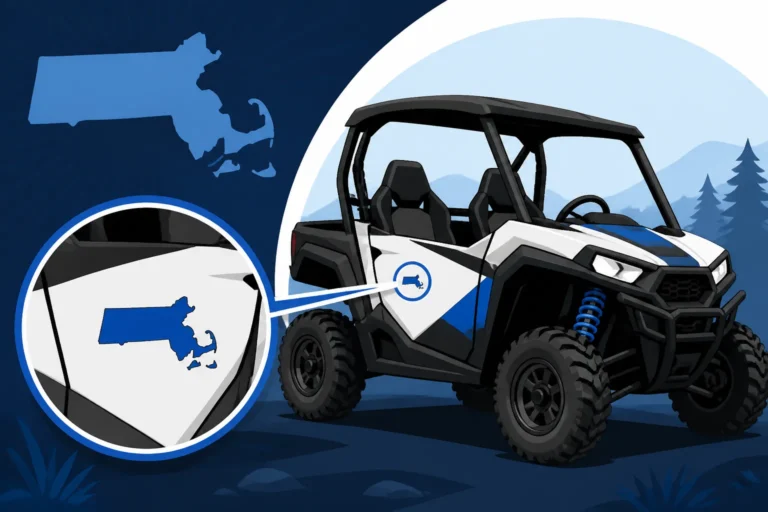
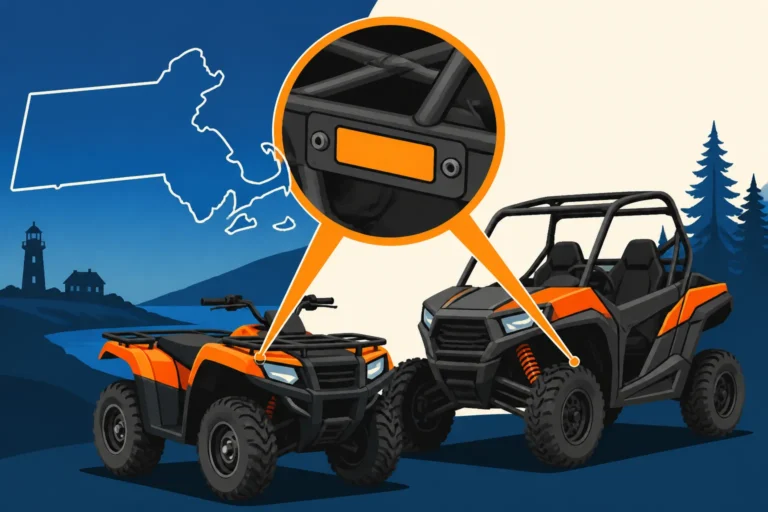
- Registration Decals/Stickers: These are the brightly colored stickers that you affix to your off-highway vehicle. They typically show your registration number and the expiration date. Proper placement is important, as Environmental Police officers will be looking for them. Follow the instructions for [Massachusetts Decal Placement Rules] precisely. Generally, decals need to be placed on both sides of the forward half of your machine, clearly visible.
Mail delivery times are, of course, beyond the control of the online system. Once your registration is approved and mailed, it's in the hands of the postal service. If a reasonable amount of time has passed and you haven't received your decals or card, contact the Environmental Police. They can often track the status or guide you on how to request a duplicate if it appears to be lost in transit. Getting those physical proofs of registration is the final, satisfying step in the online process, confirming your machine is officially ready to hit the trails legally.
Online vs. Traditional Registration: Which Method is Right for You?
Now that you understand the ins and outs of the online registration system, it's worth taking a moment to compare it with the traditional methods – mail-in and, where available, in-person registration. Each has its advantages and disadvantages, and the "best" method really depends on your specific situation and preferences.
Pros and Cons of the Online System
The online system has certainly revolutionized the process for many, offering distinct benefits:
Pros:
- Convenience: Hands down, this is the biggest draw. You can complete the process 24/7 from anywhere with an internet connection, saving you trips to an office or the post office. This flexibility is perfect for those with irregular schedules.
- Speed of Submission: Your application and documents are submitted instantaneously, reducing the time it takes for them to physically reach the Environmental Police.
- Reduced Paperwork Errors: The guided online forms can help ensure you don't miss any required fields, and the ability to clearly upload digital documents can prevent issues with illegibility.
- Tracking: Often, online systems allow you to check the status of your application, giving you more transparency than a mailed application.
- Accessibility: For those who live far from an Environmental Police office, or who simply prefer digital transactions, the online system removes geographical barriers.
Cons:
- Technical Hurdles: As discussed, glitches, browser compatibility, and internet issues can be frustrating. Not everyone is comfortable with online forms or document scanning.
- Less Personal Support: While helpdesks exist, you don't get the immediate, one-on-one clarification you might get from speaking directly with a clerk.
- Eligibility Limitations: Not all complex scenarios are suitable for online processing. Some specific transfers, unusual ownership situations, or missing documents might require the human touch.
- Reliance on Digital Documents: If you don't have a scanner or a way to create clear digital copies of your MCO or bill of sale, the online method becomes challenging.
When to Opt for Mail-In or In-Person Registration
Despite the allure of the online system, there are still very valid reasons to choose the mail-in option or even seek an in-person interaction if available.
Mail-In Registration is often a good choice if:
- You prefer traditional methods: Some people simply feel more comfortable handling physical paperwork, sending a check, and entrusting the postal service.
- You lack reliable internet access or scanning capabilities: If you're in a rural area with spotty internet, or don't have a printer/scanner, mail might be less of a hassle.
- Your transaction is complex: For situations like [Massachusetts Registration After the Owner Dies], or if you bought a machine with less-than-perfect paperwork and need to provide additional context, mailing everything with a detailed explanation might be better. This also applies to a [Massachusetts Registration Without a Bill of Sale] where you're trying to prove ownership through other means.
- You need to clarify specific questions: If you have unique circumstances, sometimes writing a cover letter with your mail-in application can provide the necessary context.
In-Person Registration (where available) is ideal if:
- You need immediate answers or clarification: Speaking directly with an Environmental Police clerk can clear up ambiguities on the spot and ensure your paperwork is correct before you leave.
- You have a highly unusual or problematic situation: If your machine has a difficult-to-find VIN, or you're trying to navigate a particularly tricky transfer (like a [Massachusetts Registration After a Private Sale] where the seller's information is incomplete), an in-person visit allows for direct problem-solving.
- You need to pay with cash: Mail-in and online systems almost universally do not accept cash.
The decision really boils down to your comfort level with technology, the complexity of your registration, and your access to required equipment. While the online system for OHV registration in Massachusetts is a fantastic resource that has simplified the process for countless riders, it's not the only way. Understanding all your options ensures you choose the path that gets you on the trails with your legally registered machine as smoothly as possible.
Disclaimer
This article is for general informational purposes only and does not constitute professional advice. Laws, prices and regulations vary by location and change over time. Consult a qualified professional for guidance on your specific situation.