Registering an ATV on the Environmental Police Website
It's incredibly common for folks new to the Massachusetts off-highway vehicle (OHV) scene, or even seasoned riders, to feel a bit lost when it comes to getting their ATV or UTV registered. The traditional assumption is that you'd head to the Registry of Motor Vehicles (RMV) for anything vehicle-related, but with OHVs, it's a completely different ballgame. This guide is going to walk you through the process of registering your off-road machine specifically through the Massachusetts Environmental Police (MEP) website, making sure you have all your ducks in a row for a smooth, frustration-free experience.
Why the Environmental Police Handle ATV Registration
One of the biggest head-scratchers for new ATV and UTV owners in Massachusetts is understanding why their beloved machines aren't registered with the RMV like cars or motorcycles. It's a question that pops up constantly, and it makes perfect sense to be confused. After all, the RMV handles just about everything else on wheels. But when it comes to off-road vehicles, the Bay State has a unique system that places the responsibility squarely on the shoulders of the Environmental Police.
The reason behind this often comes down to the nature of these machines and where they're typically operated. Unlike vehicles designed for public roads, ATVs and UTVs are meant for trails, private land, and designated off-road areas. The Environmental Police are the primary agency responsible for enforcing laws related to these activities, including rules about trail access, land use, and, yes, registration. They're the ones you're most likely to encounter while out riding, so it makes a certain kind of sense that they're also the ones managing the registration database. It helps them track who's riding where, enforce safety regulations, and ensure that funds collected from registrations are funneled back into the OHV program, often supporting trail maintenance and development. You can dive deeper into this by reading about [Why the Environmental Police Register ATVs, Not the RMV].
This distinction can sometimes catch people off guard, especially if they're moving to Massachusetts from another state where the Department of Motor Vehicles handles all vehicle registrations. You might even find yourself on the RMV website trying to figure things out, only to be redirected or come up empty-handed. Don't worry, you're not alone in that initial moment of confusion. The key takeaway is to bypass the RMV entirely for your ATV or UTV and go straight to the Environmental Police's online portal for all your registration needs.
Gathering Your Paperwork for Online Registration
Before you even think about clicking "apply online," you absolutely need to make sure you have all your necessary documents ready and accounted for. This isn't just about convenience; missing a single piece of paperwork can lead to your application being delayed or even rejected, forcing you to start the process all over again. Trust me, nobody wants that kind of headache when all you want to do is hit the trails. The requirements vary slightly depending on whether your machine is brand new or used, so let's break down what you'll need for each scenario.
Proof of Ownership for New Machines
If you're bringing home a shiny new ATV or UTV from a dealership, your primary document will be the Manufacturer's Certificate of Origin (MCO). This is essentially the birth certificate of your machine, detailing its make, model, VIN, and other crucial information. The dealer should provide this to you at the time of purchase. It's incredibly important to keep this document safe, as you'll need to upload a clear scan or photograph of it during the online registration process. The Environmental Police use the MCO to verify that you are the first legal owner of the machine. Without it, your application won't go anywhere. For more details, check out [Massachusetts Requires an MCO for a New Machine].
Sometimes, dealers might handle some of the initial paperwork for you, but it's still your responsibility to ensure you have the MCO in your possession and are ready to submit it online. Don't assume anything; always double-check. Getting this right from the start saves a lot of back-and-forth later.
Proof of Ownership for Used Machines
For those of us who prefer the thrill of a good deal on a used machine, the proof of ownership requirements shift slightly. Instead of an MCO, you'll need a clear, legible bill of sale. This document is paramount because it establishes the transfer of ownership from the previous owner to you. A proper bill of sale should include the full names and addresses of both the buyer and seller, the date of sale, the purchase price, the make, model, year, and crucially, the Vehicle Identification Number (VIN) of the ATV or UTV. Both parties should sign and date it.
If you're buying from a private seller and they don't have a formal bill of sale prepared, you can find templates online from reputable sources. A service like LawDepot, for example, offers customizable bill of sale templates that can help you create a legally sound document quickly. Having a well-structured bill of sale avoids ambiguity and ensures a smooth registration process. Remember, a handwritten note on a napkin probably won't cut it. For a comprehensive guide, refer to [Massachusetts Requires a Bill of Sale for a Used One].
Sales Tax Forms and Exemptions
Massachusetts, like most states, wants its piece of the pie when a vehicle changes hands. You'll need to account for the state's sales tax. If you purchased your ATV or UTV from a licensed dealer in Massachusetts, they typically collect the sales tax directly from you at the time of sale and remit it to the state. In this case, you won't need to file anything separately, but you should keep your sales receipt as proof.
However, if you bought your machine from a private seller, you are responsible for paying the Massachusetts sales tax yourself. This is usually done by filing a Form ST-6, or sometimes a Use Tax filing, through the MassTaxConnect system. You'll need to have proof that this tax has been paid or that you're exempt before you can complete your OHV registration. If the machine was a gift, you might be able to claim an exemption using Form ST-6E. It's critical to understand these tax requirements, as failure to comply can hold up your registration. More information can be found under [Massachusetts Sales Tax Forms at Registration] and [Massachusetts Exemption Form ST-6E].
Other Vital Information
Beyond proof of ownership and sales tax, you'll need a few other bits of information readily available. This includes the full VIN of your machine – double-check this number against your physical vehicle to ensure accuracy. You'll also need your personal identification details, such as your full name, address, and contact information. If you're registering a machine for a business, you'll need the business's information. The online system will guide you, but having these details close at hand makes the process much quicker.
Here's a quick checklist of documents and information you'll want to have ready:
| Document/Information | For New Machine (Dealer Purchase) | For Used Machine (Private Sale) | Notes |
|---|---|---|---|
| Manufacturer's Certificate of Origin (MCO) | Required | Not Applicable | Provided by dealer. Verifies first ownership. |
| Bill of Sale | Not Applicable | Required | Must include buyer/seller info, date, price, VIN. Consider templates from services like LawDepot. |
| Proof of Sales Tax Paid | Sales Receipt from Dealer | Form ST-6/Use Tax Filing Proof | If private sale, you remit tax yourself. |
| Form ST-6E | Optional (for gifts) | Optional (for gifts) | To claim sales tax exemption for a gifted machine. |
| Vehicle Identification Number (VIN) | Required | Required | Verify against the machine itself. [Massachusetts Requires a VIN on the Application] |
| Your Personal/Business Information | Required | Required | Full name, address, contact, etc. |
Navigating the Online System Step-by-Step
Once you've gathered all your documents and you're feeling prepared, it's time to actually dive into the Massachusetts Environmental Police's online registration system. This is where the rubber meets the road, so to speak. The state has worked to make this portal as user-friendly as possible, but like any online government system, it can have its quirks. Taking it one step at a time will ensure you don't miss anything important. Remember, patience is key!
Accessing the Portal
Your first step is to navigate directly to the Massachusetts Environmental Police's official website. Look for a section dedicated to "OHV Registration" or "Recreational Vehicles." Typically, there will be a clear link that takes you to their online registration portal. Avoid third-party sites that claim to process registrations; always go directly to the official state source to protect your information and ensure legitimacy. The official portal is designed specifically for [Massachusetts Online Registration System].
Once you've found the portal, you'll likely need to either create an account or log in if you've registered an OHV before. This account will be tied to your registration history and allow you to renew your sticker in the future or request duplicates if needed. Make sure to use a strong password and keep your login information secure.
Filling Out the Application Fields
The online application will systematically guide you through various sections, requesting information about yourself and your ATV or UTV. You'll input your personal details, including your name, address, phone number, and email. Pay close attention to accuracy here; any typos could lead to issues with mailing your registration card and decals.
Next, you'll enter the specifics of your machine. This is where your VIN, make, model, and year come into play. Double-check every character of your VIN as you type it in. A single wrong digit can invalidate your entire registration. You'll also specify if it's an ATV, UTV, or snowmobile, and the term you're requesting (Massachusetts residents typically get a [Massachusetts Two-Year OHV Registration], while non-residents get a one-year sticker).
Uploading Your Documents
This is often the part that gives people the most pause. The online system will have prompts for uploading your proof of ownership (MCO or Bill of Sale) and your sales tax documentation. It's crucial that the files you upload are clear, legible, and in a commonly accepted format (like PDF or JPEG). If your documents are blurry or hard to read, the Environmental Police staff won't be able to verify the information, and your application will be sent back for correction.
Before uploading, take a moment to review your scans or photos. Can you clearly read all the text? Are all the necessary signatures visible? If you used a template from a service like LawDepot for your bill of sale, ensure all fields are filled out completely before you scan and upload. It's much easier to rescan something before submission than to deal with a rejected application.
Payment Processing
After all your information and documents are uploaded, the system will direct you to the payment section. The cost for registration in Massachusetts is set by the state. Residents typically pay one rate for a two-year registration, while non-residents pay another for a one-year term. For instance, [Massachusetts Charges $44 for Residents] and [Massachusetts Charges $33 for Visitors].
The portal usually accepts major credit and debit cards. Follow the prompts carefully to enter your payment information. Once the payment is processed, you should receive a confirmation number or email. Keep this confirmation as proof of your submission. It's your immediate evidence that you've completed the application process.
What Happens After You Submit Your Application?
You've hit submit, you've paid, and you've got your confirmation number. Congratulations! The hardest part of the online process is over. But it's natural to wonder, "Now what?" The time between submission and receiving your registration materials can feel a bit like waiting for paint to dry, especially when you're itching to get out and ride. Understanding the next steps can help manage your expectations and ensure you know what to look for in the mail.
Processing Times and Status Updates
Once your application is submitted, it enters a queue for review by the Massachusetts Environmental Police staff. They meticulously go through each application, verify the uploaded documents, and confirm all information is correct. This manual review process takes time. While the online system is efficient, there isn't an instant approval.
The processing time can vary based on the volume of applications, especially during peak riding seasons in spring and fall. Typically, you can expect it to take a few weeks. The Environmental Police website usually provides an estimate for current processing times, so it's a good idea to check there after you've submitted. Some online portals also allow you to check the status of your application using your confirmation number, which can be a helpful way to track its progress.
Receiving Your Registration Card and Decals
After your application is approved and processed, the Environmental Police will mail your official Massachusetts OHV registration card and a set of decals to the address you provided. The registration card is a small, durable document that you are legally required to carry on board your ATV or UTV whenever you are operating it on public land. Think of it like your vehicle's driver's license for the trails. [Massachusetts Registration Cards Carried on Board] explains this further.
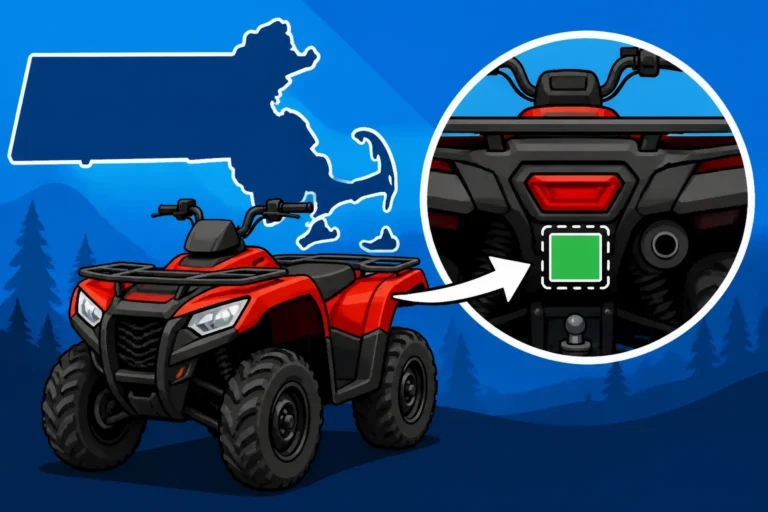
The decals are equally important. These stickers display your registration number and the expiration date. You'll need to affix them properly to your machine according to state regulations. Generally, the main decals go on both sides of the forward half of your ATV or UTV, and a smaller expiration decal goes on the left side. Proper placement is important to avoid issues with enforcement. For guidance, see [Massachusetts Decal Placement Rules] and [Massachusetts Decals on Both Sides].
What to Do If There's an Issue
Occasionally, an application might be incomplete or contain an error. If this happens, the Environmental Police will typically contact you, usually via email or mail, to explain what information is missing or incorrect. It might be a blurry scan, an incomplete bill of sale (perhaps missing a signature from a LawDepot template), or an inconsistency in the VIN.
If you receive such a notification, don't panic. Carefully read their instructions, gather the requested information, and resubmit it as quickly as possible. This often means logging back into your online account and using the option to update or supplement your existing application. Addressing these issues promptly will prevent further delays and get you closer to legally enjoying the beautiful Massachusetts trails.
Disclaimer
This article is for general informational purposes only and does not constitute professional advice. Laws, prices and regulations vary by location and change over time. Consult a qualified professional for guidance on your specific situation.